

Open source
Terminal games
Zacess Games is fourteen original games for the terminal, drawn in the eight Zacess high contrast themes with sound effects and calm music of their own. Version 0.2.0.
Every game in one menu
Every game is its own design and none copies an existing game's rules, board or goal. Each is written in Rust with its levels in Lua and is built on Zacess Scenes, so the games share the scenes' themes, contrast floors, flash limit and reduced motion.
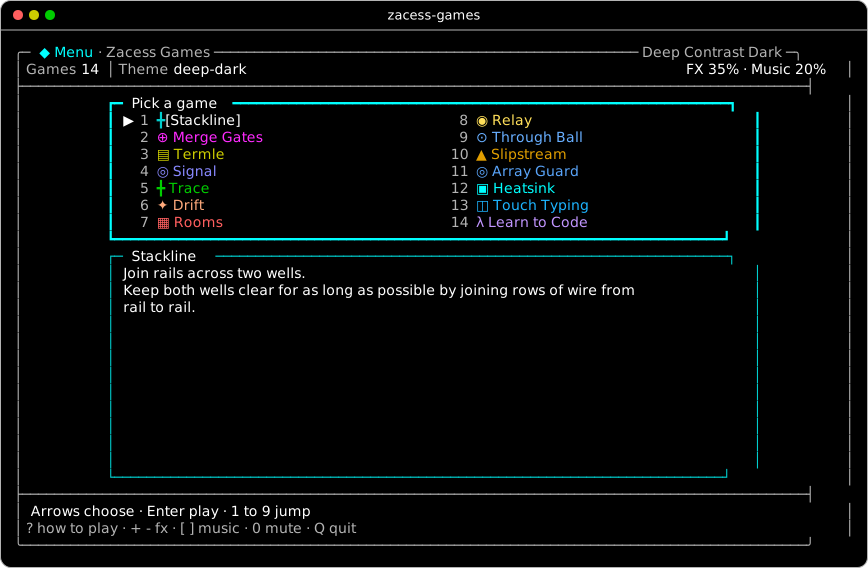
The games
Every still is Zacess Deep Contrast Dark at 100 by 30, part way through a game. Real time games run on a clock; turn based games wait for your next key.
Watch a game
Each game has a seven second recording at 80 by 24 in the same theme. Choose one here or press Play the recording under any still. The recording starts paused when your device asks for reduced motion.
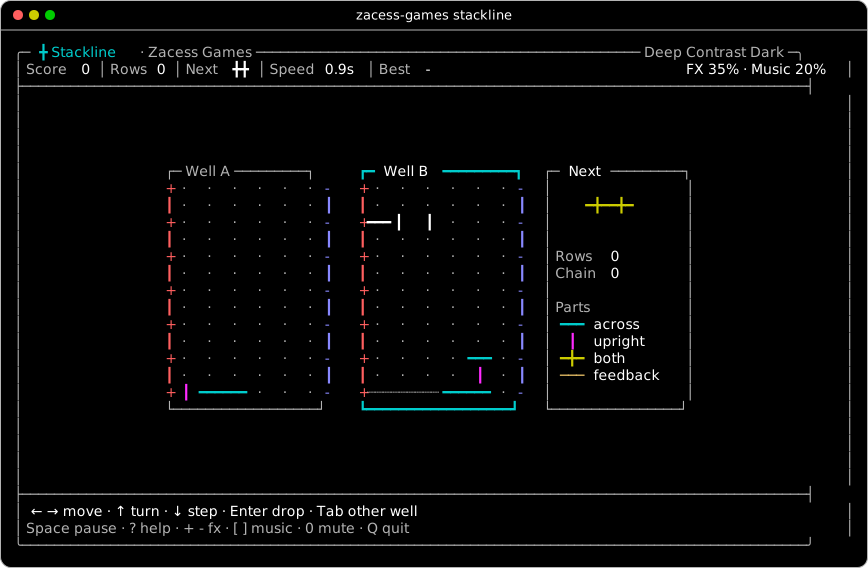
Stackline Circuit parts fall into two wells. A full row whose parts all carry wire across joins the rails and clears, pushing a feedback row with one break into the other well.
Real time. How to play Stackline
Merge Gates 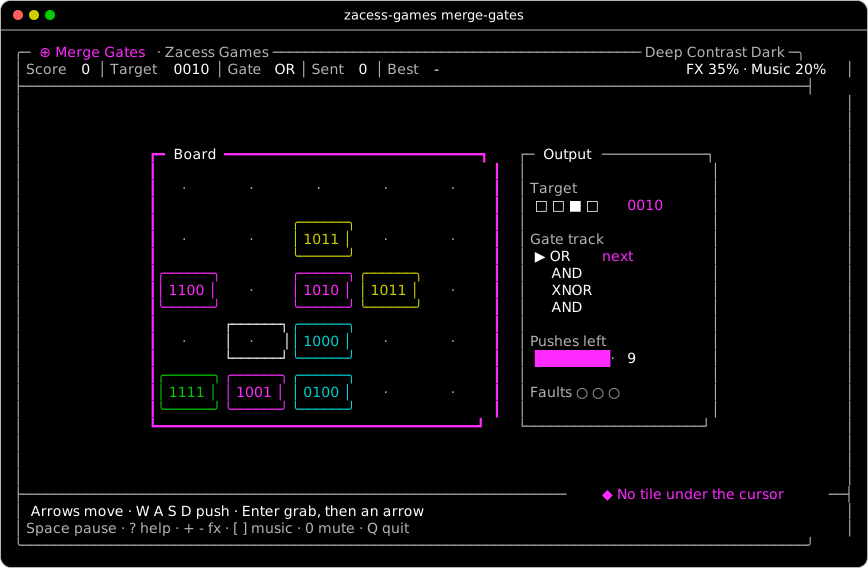
Push four-bit tiles together through a track of logic gates to make the target output.
Turn based. How to play Merge Gates
Termle 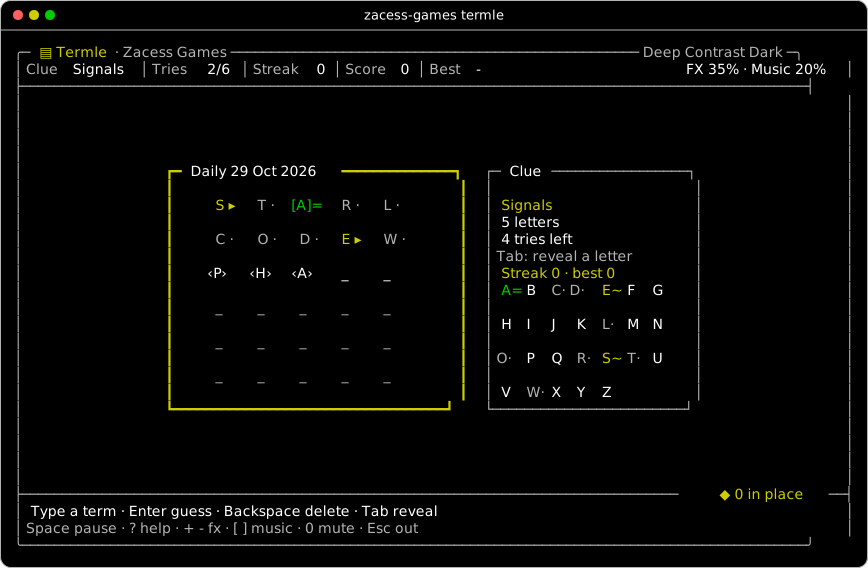
A daily electronics or programming term from a category clue and arrow feedback, with a streak for days in a row.
Turn based. How to play Termle
Signal 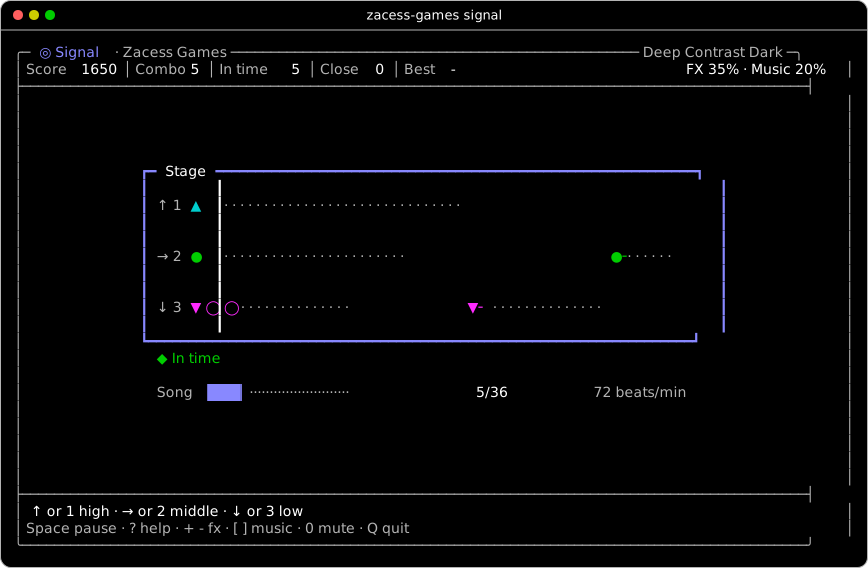
A calm rhythm game: catch notes on three lanes as they reach the line.
Real time. How to play Signal
Trace 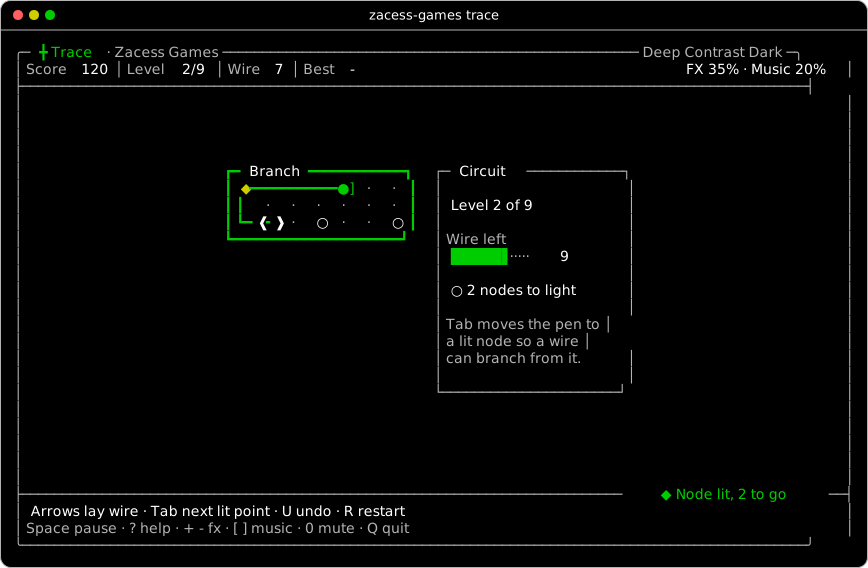
Route wire from a source to light every node without crossing, with vias and one-way nodes.
Turn based. How to play Trace
Drift 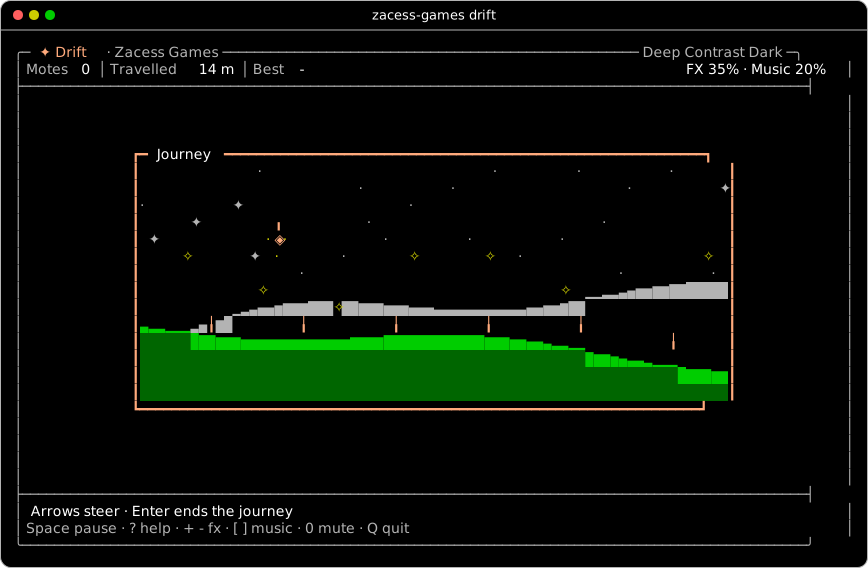
Steer a lantern over a quiet landscape to gather light. There is no way to lose.
Real time. How to play Drift
Rooms 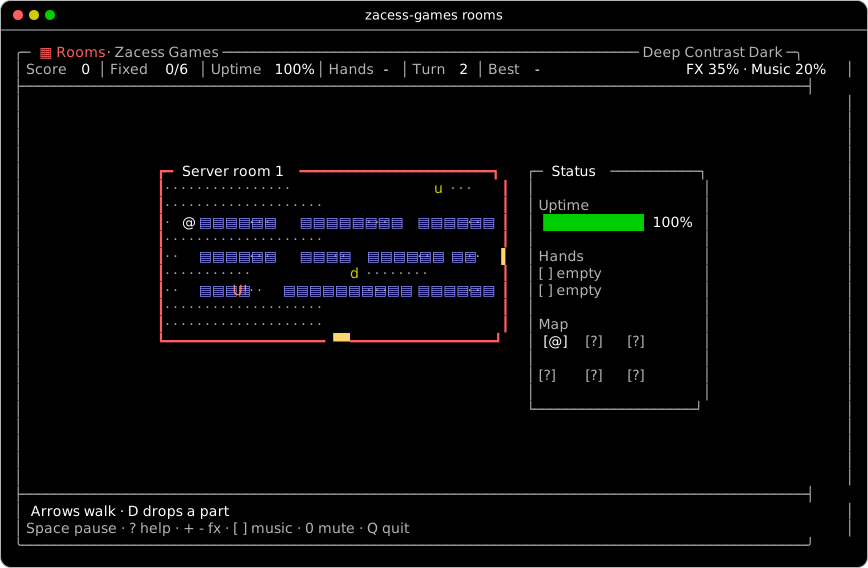
A short roguelike through a broken server: carry parts to faults to open the doors.
Turn based. How to play Rooms
Relay 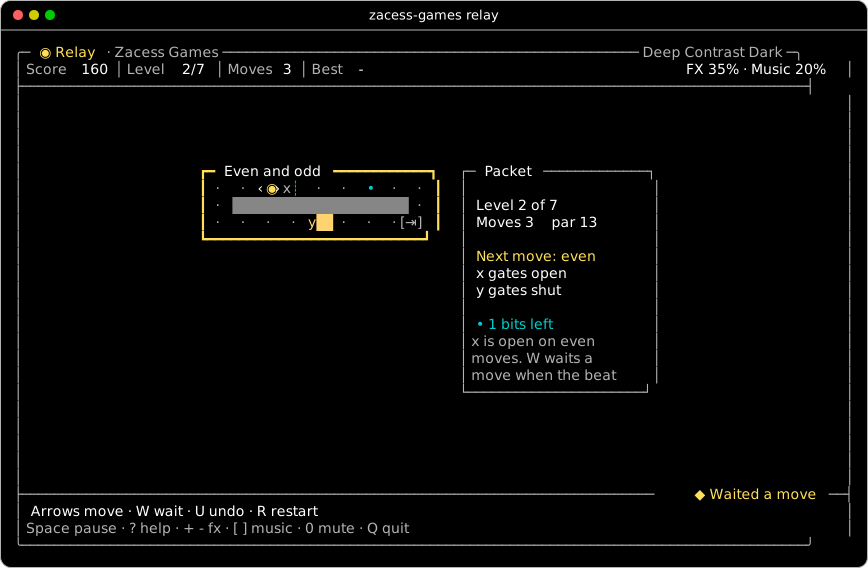
Move a packet through gates that keep time with the move count, portals and one-way tiles.
Turn based. How to play Relay
Through Ball 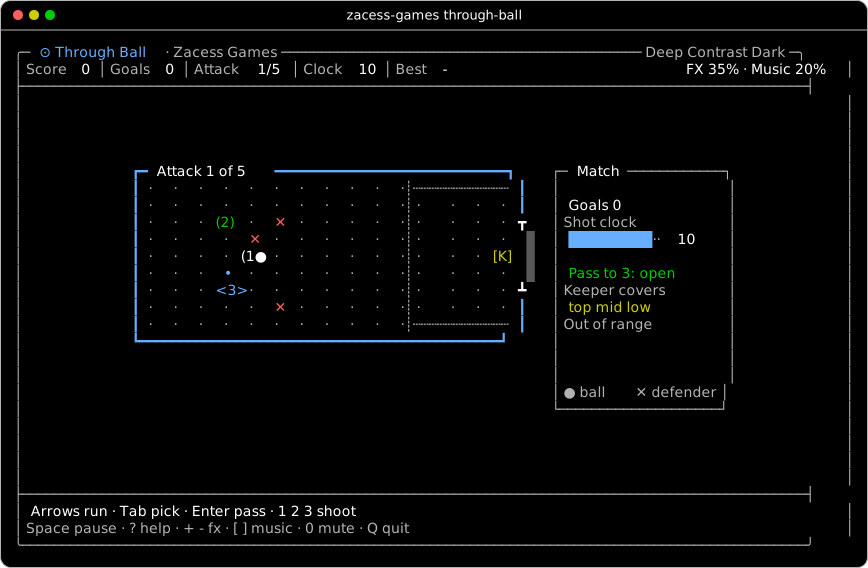
Turn-based football about passing lanes and a keeper's reach, over five attacks.
Turn based. How to play Through Ball
Slipstream 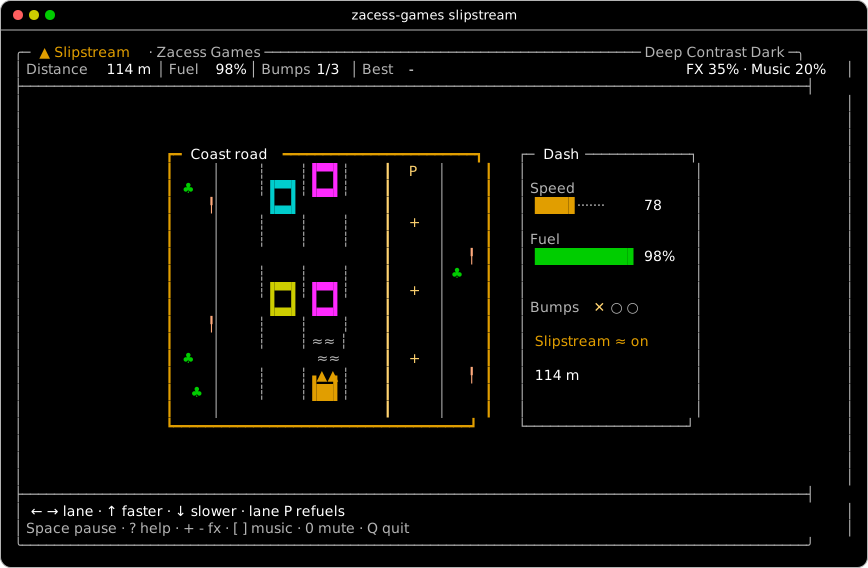
A calm road race against the fuel gauge, with slipstreams and a pit lane.
Real time. How to play Slipstream
Array Guard 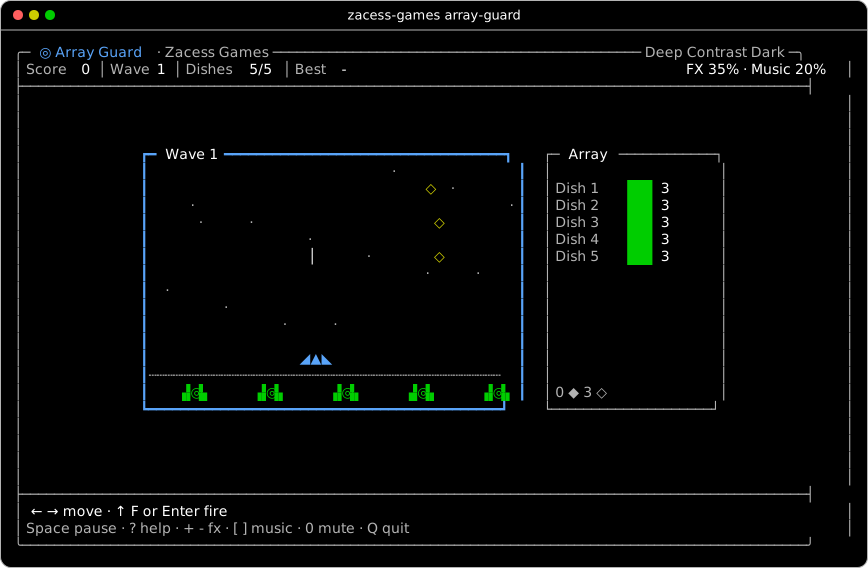
Clear drifting debris to protect five satellite dishes, with shields, capsules and waves.
Real time. How to play Array Guard
Heatsink 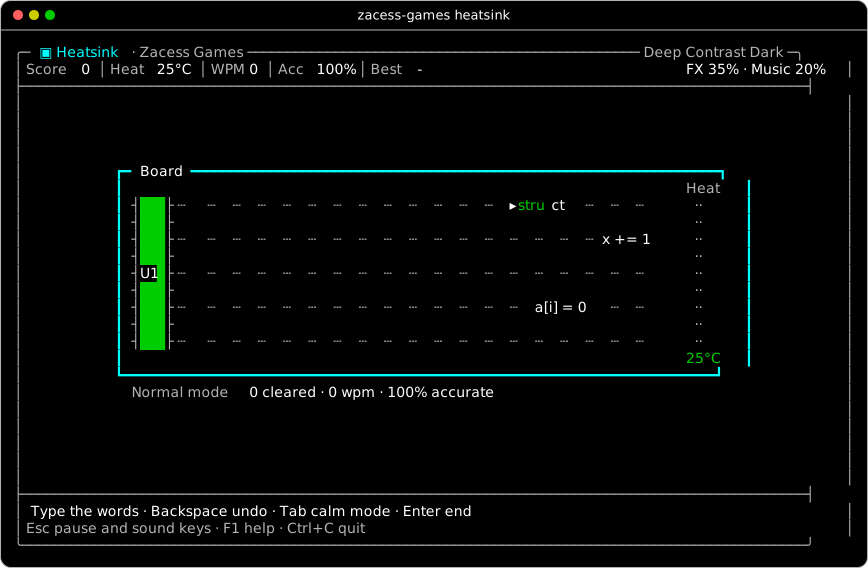
Type electronics terms and code fragments before they reach a chip and heat it, with a calm mode.
Real time, typing. How to play Heatsink
Touch Typing 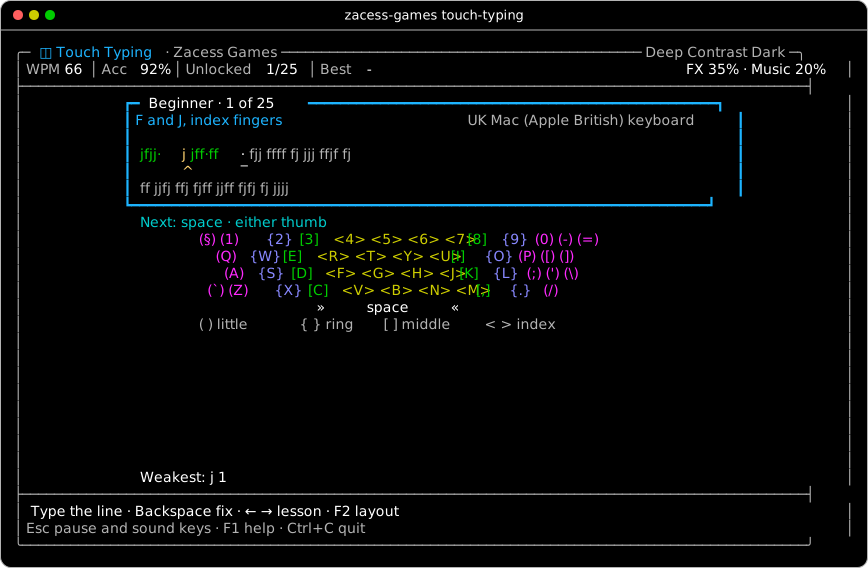
A trainer from the home row to timed tests, with an on-screen keyboard showing the finger for every key. It follows the keyboard in use (UK Mac, UK PC or US), read from the system.
Turn based, typing. How to play Touch Typing
Learn to Code 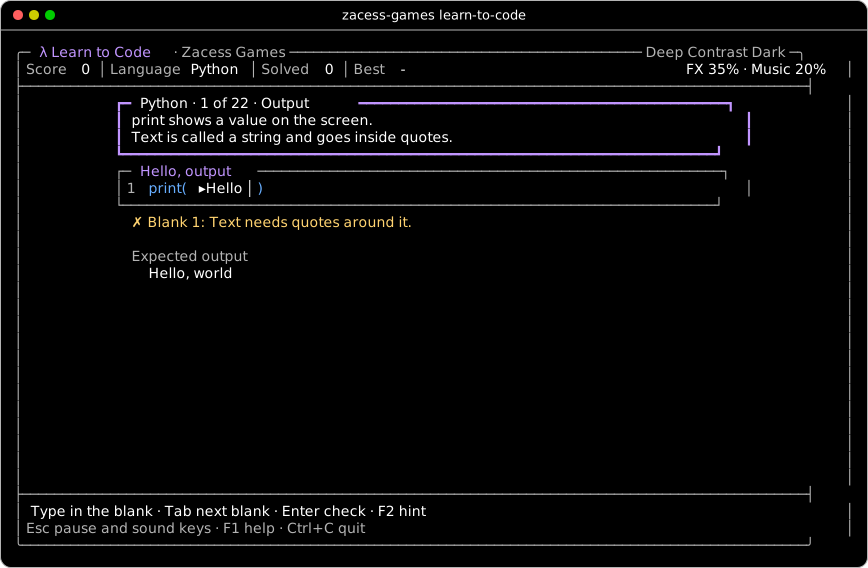
Fifteen tracks from first steps to job-ready: Python, Java, C, C++, JavaScript, TypeScript, SQL, Bash and Linux, Git, Rust, Go, C#, Kotlin, Data Structures and Algorithms and AI in Python. Fill in small programs with hints, teaching messages and saved progress.
Turn based, typing. How to play Learn to Code
How to play
The goal, how each game ends, a tip and its own keys. Start any game with zacess-games and its name. The full rules and scoring are in the how to play guide and every key is on the controls sheet.
Stackline
Join rails across two wells. Start it with
zacess-games stackline.- Goal
- Keep both wells clear for as long as possible by joining rows of wire from rail to rail.
- How it ends
- There is no end to win. The game ends when a well overflows at the top.
- Keys
- ← → (or H L) move. ↑ (or K or X) turns. ↓ (or J) moves one row down. Enter drops. Tab moves the piece to the other well.
- Tip
- Keep upright parts together in columns you do not need to clear soon.
Merge Gates
Push bit tiles through gates. Start it with
zacess-games merge-gates.- Goal
- Make a tile equal the target output, as often as you can.
- How it ends
- Each target allows 10 pushes. Missing one is a fault. The game ends at the third fault.
- Keys
- Arrows (or H J K L) move the cursor. W A S D push the tile up, left, down or right. Enter grabs; then an arrow pushes.
- Tip
- Read the next gates on the track before you push.
Termle
Guess the day's tech term. Start it with
zacess-games termle.- Goal
- Guess the day's electronics or programming term in six tries.
- How it ends
- Solve the term to win. Six tries without it shows the answer and resets the streak.
- Keys
- Letters type. Backspace deletes. Enter guesses. Tab reveals a letter for one try.
- Tip
- An arrow tells you which way to move a letter, so two guesses can place most of them.
Signal
A calm rhythm of soft tones. Start it with
zacess-games signal.- Goal
- Catch every note of a calm song as it reaches the line.
- How it ends
- The song ends when every note has passed. There is no way to lose; the end screen shows how many were in time, close and missed.
- Keys
- ↑ or 1 plays the high lane. → or 2 the middle lane. ↓ or 3 the low lane.
- Tip
- Watch the notes rather than listen; the tones are a garnish and the song plays the same muted.
Trace
Light every node, no crossings. Start it with
zacess-games trace.- Goal
- Light every node on the board by running wire to it from the source (◆).
- How it ends
- Light every circuit to win. There is no way to lose: undo or restart a level as often as you like.
- Keys
- Arrows (or H J K L) lay wire. Tab or Enter moves the pen to the next lit point. U or Backspace undoes. R restarts.
- Tip
- Lay the long straight runs first and branch from the nodes they light.
Drift
A lantern in a quiet landscape. Start it with
zacess-games drift.- Goal
- Float a lantern over a quiet landscape and gather motes of light.
- How it ends
- There is no way to lose. Enter ends the journey whenever you like and keeps the light gathered.
- Keys
- Arrows (or H J K L) steer. Enter ends the journey.
- Tip
- Reduced motion halves the pace if the scrolling is too much.
Rooms
Mend a broken server's rooms. Start it with
zacess-games rooms.- Goal
- Fix every fault in the six rooms of a broken server before its uptime runs out.
- How it ends
- Fix every room to win. The game ends if uptime reaches 0%.
- Keys
- Arrows (or H J K L) walk. D drops a part.
- Tip
- Glitches only move when you do, so stop and plan.
Relay
A packet through timed gates. Start it with
zacess-games relay.- Goal
- Steer a packet to collect every data bit (•) and then reach the exit (⇥), in as few moves as you can.
- How it ends
- Deliver every level to win. There is no way to lose: undo or restart a level as often as you like.
- Keys
- Arrows (or H J K L) move. W or Enter waits a move (so does the full stop). U or Backspace undoes. R restarts.
- Tip
- Waiting is the only way to change the beat, so count the moves to each gate.
Through Ball
A turn-based football puzzle. Start it with
zacess-games through-ball.- Goal
- Score as many goals as you can from five attacks.
- How it ends
- The match ends after five attacks. An attack ends with a goal, a save, a blocked shot, a tackle or the clock running out.
- Keys
- Arrows (or H J K L) run with the ball. Tab picks a teammate. Enter passes. 1 2 3 shoot at the top, middle or low row.
- Tip
- Draw the keeper to one side, then shoot to the far row from inside the box.
Slipstream
A calm road race against fuel. Start it with
zacess-games slipstream.- Goal
- Drive as far as you can on one tank of fuel at a time.
- How it ends
- There is no finish line. The run ends after three bumps or when an empty tank coasts to a stop.
- Keys
- ← → (or H L) change lane. ↑ (or K) goes faster and ↓ (or J) slower.
- Tip
- Tuck in behind a car before the fuel runs low, then pit when the road is clear.
Array Guard
Clear debris from a dish array. Start it with
zacess-games array-guard.- Goal
- Protect a row of five satellite dishes from drifting debris for as many waves as you can.
- How it ends
- There is no last wave. The game ends when every dish is lost.
- Keys
- ← → (or H L or A D) move. ↑ or F or Enter fires.
- Tip
- Large debris is slow; clear the small pieces first.
Heatsink
Type terms to cool a chip. Start it with
zacess-games heatsink.- Goal
- Keep the chip (U1) cool by typing the words and code fragments that drift towards it.
- How it ends
- The game ends when the chip reaches 100°C. In calm mode it ends only when you press Enter.
- Keys
- Every character types; letters match in either case. Backspace takes back a letter. Tab switches calm mode. Enter ends a calm round.
- Tip
- Finish the word nearest the chip before starting another.
Touch Typing
Learn to type by touch. Start it with
zacess-games touch-typing.- Goal
- Learn to type without looking, one group of keys at a time, from the home row to timed tests.
- How it ends
- There is no losing. Finish a lesson with 95% accuracy or better to unlock the next one. Below that, Enter tries it again with new text.
- Keys
- Every character types exactly. Backspace takes back a key. ← → choose an unlocked lesson. Enter moves on when a lesson is done. F2 switches the keyboard layout.
- Tip
- Keep your fingers resting on A S D F and J K L ; and feel for the bumps on F and J.
Learn to Code
Code in Python, Java and C. Start it with
zacess-games learn-to-code.- Goal
- Learn to program from first steps to job-ready, one idea at a time. There are tracks for Python, Java, C, C++, JavaScript, TypeScript, SQL, Bash and Linux, Git, Rust, Go, C# and Kotlin, a shared Data Structures and Algorithms track and an AI track in Python.
- How it ends
- There is no losing. A track is complete when its last level is solved. The language list shows how many levels each language has done.
- Keys
- Every character types into the marked blank. Backspace deletes. Tab or ↓ goes to the next blank and ↑ the one before. Enter checks, then moves on. F2 shows a hint. F3 shows the answer after three tries. F4 chooses a language.
- Tip
- Read the expected output under the code first; it tells you what each blank must do.
Controls every game shares
Pause, help, the effects and music volumes, mute and quit work the same way everywhere. The typing games, Heatsink, Touch Typing and Learn to Code, type every character with the space included, so a few of these keys move there. The status bar always shows both volumes.
| Key | Most games | Termle | Typing games |
|---|---|---|---|
| Space | Pause and carry on | Pause and carry on | Types a space |
| ? | How to play page | How to play page | Types ? |
| F1 | How to play page | How to play page | How to play page |
| ↑ ↓ | Scroll the How to play page while it is open | The same | The same |
| + or = | Effects volume up by 10 | The same | While paused only |
| - or _ | Effects volume down by 10 | The same | While paused only |
| ] | Music volume up by 10 | The same | While paused only |
| [ | Music volume down by 10 | The same | While paused only |
| 0 | Mute everything; again to bring it back | The same | While paused only |
| Esc | Back to the menu | Back to the menu | Pause, with the sound keys |
| Q | Back to the menu | Types Q | Back to the menu while paused |
| Ctrl+C | Leave at once | Leave at once | Leave at once |
| Enter | Play again after a game ends | The same | The same |
Learn to Code and Touch Typing
Two games that teach. Neither has a way to lose and both remember where you got to.
Learn to Code
Fifteen tracks and 287 levels, from first steps to job-ready. Each level has a short lesson and a few lines of code with blanks to fill in. A wrong answer gets a message that explains the mistake, F2 shows a hint and after three tries F3 shows the answer. Answers are checked inside the game; nothing typed is ever run.
| Track | Levels |
|---|---|
| Python | 22 |
| Java | 30 |
| C | 19 |
| C++ | 16 |
| JavaScript | 17 |
| TypeScript | 15 |
| SQL | 18 |
| Bash and Linux | 26 |
| Git | 17 |
| Rust | 16 |
| Go | 16 |
| C# | 17 |
| Kotlin | 16 |
| Data Structures and Algorithms | 26 |
| AI in Python | 16 |
Touch Typing
Five levels from the home row to timed tests. The next key is marked on an on-screen keyboard with the finger to use written under it. Each finger has its own bracket shape as well as its own colour. Finish a lesson at 95% accuracy or better to unlock the next one.
The keyboard follows the layout in use, read from the system. F2 switches it.
uk-mac: Apple British on a Macuk-pc: UK keyboards on Windows and Linuxus: US ANSI keyboards
Accessibility
Zacess products are built for people with low vision, light sensitivity and motion sensitivity first.
Contrast floors
Every colour keeps at least 4.5 to 1 contrast on the theme's background and at least 7 to 1 in the High Contrast and Deep Contrast themes. Every piece and state has a shape or letter of its own, so colour is never the only signal.
No flashing
Every frame passes through the Scenes flash meter, which holds back any large change more than three times a second. Clears and wins show as a calm change of shape, never a blink.
Reduced motion
--reduced-motion,ZACESS_REDUCED_MOTION=1or the system setting slows every real time game down. Every game pauses at any moment.Sound is never the only signal
Every effect has a written twin on screen, such as "Node lit, 2 to go". Music never carries meaning and every game plays the same muted.
Screen sizes
Every game lays itself out for the window it is in and again on every resize, without losing the game.
| Window | Layout |
|---|---|
| Below 60 by 20 | A centred message giving the size needed and the size now |
| From 60 by 20 (a quarter tmux window) | Compact: one status line, one key line, side panels left out where they would not fit (their facts move to the status line) and smaller boards |
| From 100 by 30 | Standard: a status bar, two key lines and the full side panels |
| From 160 by 45 | Large: boards drawn at twice the size, a larger Touch Typing keyboard of boxed keys with a progress panel and wider text in the typing and coding games |
A terminal's alternate screen is not read by screen readers, so a game cannot be followed by ear alone. The plain lines before and after a game, the written twin of every sound and the guides are there for screen reader users. The full statement is in the Zacess Games accessibility statement.
Install
With Cargo
From the release tag on GitHub. Needs Rust 1.88 or later and a C compiler, since Lua is built in. Sound is played by the system's own player, so nothing else is needed.
cargo install --locked --git https://github.com/zacesshq/games --tag v0.2.0 zacess-gamesOr a release build
Each build on the v0.2.0 release has a checksum file beside it. Check the sum, unpack the archive and put
zacess-gamessomewhere on yourPATH.Release builds for v0.2.0 System Build Checksum macOS on Apple silicon zacess-games-v0.2.0-aarch64-apple-darwin.tar.gz SHA-256 macOS on Intel zacess-games-v0.2.0-x86_64-apple-darwin.tar.gz SHA-256 Linux on x86-64, no shared libraries needed zacess-games-v0.2.0-x86_64-unknown-linux-musl.tar.gz SHA-256 Linux on ARM64, no shared libraries needed zacess-games-v0.2.0-aarch64-unknown-linux-musl.tar.gz SHA-256 Windows on x86-64 zacess-games-v0.2.0-x86_64-pc-windows-msvc.zip SHA-256 shasum -a 256 -c zacess-games-v0.2.0-aarch64-apple-darwin.tar.gz.sha256 tar -xzf zacess-games-v0.2.0-aarch64-apple-darwin.tar.gzPlay
zacess-games                  # the menu
zacess-games trace            # one game by name; a short start such as "stack" is enough
zacess-games list             # every game and its best score
zacess-games sounds           # every effect, then each game's music
Guides
- How to play: the goal, rules, scoring, winning and losing, a tip and the keys of every game, with a still of each.
- Controls: every key, command, flag, variable, setting and window size on one sheet.
- Accessibility: what the games do on screen, in sound and at the keyboard.
- Contributing: how a change is made, the checks, adding a game and releasing.